
A UK accountancy firm launches a new website. It looks sharp, loads quickly, and ranks reasonably well. Three years pass. Nobody touches it again — no plugin updates, no content changes, no one checking whether the contact form still actually sends emails. This is an extremely common story, and it rarely ends with the business simply noticing nothing has changed. It usually ends with a slow, quiet decline that's only obvious in hindsight.
The security risk builds first, and quietly
Most websites rely on some combination of a content management system, plugins, or third-party libraries, and these receive regular updates — frequently specifically to patch newly discovered security vulnerabilities. Left unpatched, a site becomes a progressively easier target over time, not because anyone is targeting it personally, but because automated scanning tools constantly probe the web for exactly these known, unpatched weaknesses. The UK's National Cyber Security Centre is explicit that keeping software updated is one of the most basic, high-impact steps any business can take to reduce this risk.
Performance degrades even if nothing visibly 'breaks'
Software dependencies age, hosting environments change, and small inefficiences accumulate. A site that loaded quickly at launch can quietly slow down over a couple of years without a single dramatic failure — just a gradual creep that's easy to miss if you're not actively monitoring it, but very noticeable to a visitor comparing you against a faster competitor.
Small breakages go unnoticed for longer than you'd expect
Contact forms are a common example. A form can silently stop sending emails — because of an expired integration, a changed email address, or a plugin conflict — and unless someone is actively testing it, this can go unnoticed for weeks or months. Every enquiry submitted during that window simply disappears, with the visitor assuming you never responded, and the business never even knowing the enquiry existed.
Search rankings erode without an obvious cause
Google increasingly favours fast, secure, well-maintained websites, and a site that's slowly degrading on all three fronts tends to lose ranking gradually rather than suddenly. Because there's no single dramatic event, it's easy to miss the cause entirely and assume rankings have simply 'gone quiet' rather than recognising a maintainable, fixable problem.
What a basic maintenance routine actually prevents
None of this requires constant, expensive attention — it requires a consistent, modest routine, which is exactly what our Maintenance & Support service covers:
- Regular updates to core software, plugins, and dependencies
- Periodic testing of key functions, particularly contact and enquiry forms
- Uptime and performance monitoring, so slow degradation gets caught rather than discovered by a frustrated visitor
- Regular backups, so a worst-case scenario means a quick restore rather than starting over
A realistic cost comparison
Ongoing maintenance is a modest, predictable monthly cost. Fixing a compromised site, recovering lost data without a backup, or rebuilding a site that's degraded too far to sensibly patch is typically a far larger, unplanned expense — and it usually arrives at the worst possible time, mid-crisis, rather than on your own schedule.
What to do if your site has already been neglected for a while
The right first step is an honest audit rather than an assumption either way. A site that's been left alone for a year or two isn't necessarily broken — but it's worth having someone check its current software versions, test its core functionality, and assess whether ongoing maintenance or a fuller rebuild makes more sense, based on genuinely how far behind it's fallen.
How to tell whether your own site is at risk right now
A short, honest checklist tends to reveal more than most business owners expect, precisely because these issues rarely announce themselves.
Do you know what software version your site is currently running?
If the honest answer is 'no idea,' that alone is a meaningful signal. A well-maintained site has someone who can answer this question quickly, because updates are being applied and tracked as a matter of routine rather than an occasional afterthought.
When did someone last actually test your contact form?
Not glance at it — actually submit a test enquiry and confirm it arrived. This is one of the simplest checks available, and one of the most commonly skipped, which is precisely why silently broken forms can persist for months without anyone noticing.
Has your site's load time been checked recently against a current benchmark?
Free tools exist specifically for this, and a site that was fast at launch can quietly slip well behind current expectations within a couple of years, particularly as more content, images, and third-party scripts accumulate over time without ever being reviewed or cleaned up.
What a sensible maintenance plan actually looks like in practice
It doesn't need to be elaborate to be effective. A reasonable baseline for most small and growing UK businesses includes:
- Monthly checks for available core, plugin, or dependency updates
- A quarterly test of key functionality, particularly any forms or booking tools
- Ongoing uptime monitoring, so a site going down gets noticed within minutes, not days
- Backups taken on a schedule that matches how frequently your content actually changes
Why this is worth budgeting for from day one
It's tempting to treat maintenance as a cost to defer until something actually goes wrong. In practice, by the time something visibly breaks, the underlying problem has often been building quietly for months, and the eventual fix — whether that's a security clean-up, a content recovery, or a significant speed overhaul — is almost always more expensive and more disruptive than the modest ongoing cost of avoiding it in the first place.
Who's actually responsible for this in a small business
In a larger company, this naturally falls to an IT team. In a small or growing UK business, it often falls to whoever happened to set the site up originally, or worse, to nobody at all, simply because no one was ever explicitly given the task. Being explicit about who owns this responsibility — even if that's an external maintenance plan rather than an internal hire — closes one of the most common gaps that allows a site to quietly degrade for years.
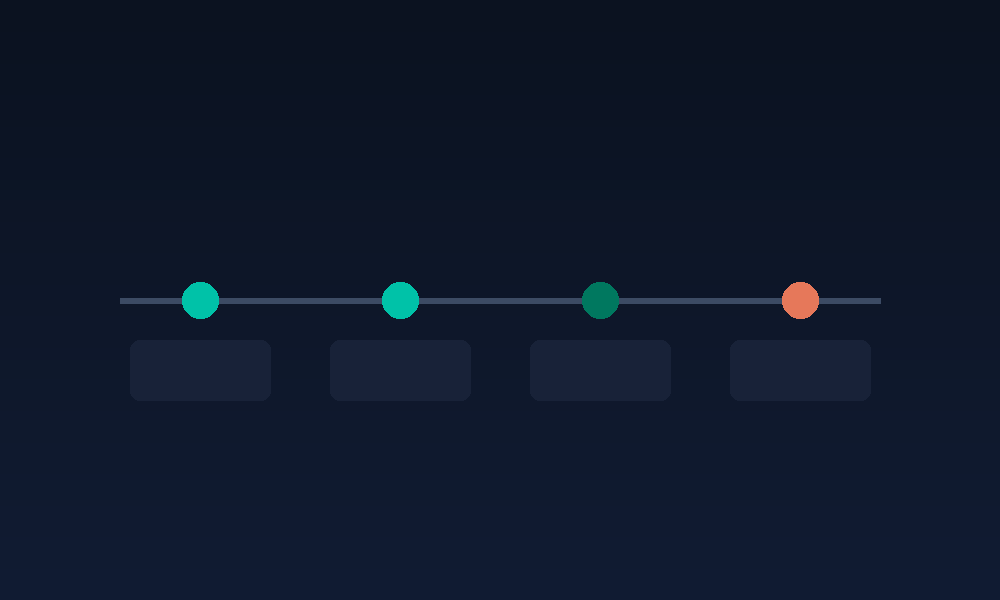
A realistic timeline of neglect
It's worth picturing this concretely, since the risk compounds gradually rather than arriving all at once:
- Months 1–6: Everything still works. Updates go unapplied, but nothing has yet been exploited or has visibly slowed down.
- Months 6–18: Load times begin creeping up as dependencies age; a known vulnerability in an unpatched plugin becomes a genuine, exploitable risk rather than a theoretical one.
- 18 months plus: The site is now a meaningfully easier target for automated attacks, rankings have likely softened without an obvious single cause, and the eventual fix required grows more involved the longer this stretch continues.
The simplest first step
If you're genuinely unsure where your own site currently sits on this timeline, the most useful next step isn't guessing — it's a short, honest technical review to establish exactly what's running, what's overdue for an update, and what a sensible ongoing plan would look like from here. This kind of review typically takes far less time than most business owners expect, and it removes the uncertainty of not knowing whether your site is quietly fine or quietly at risk, and it gives you a clear, prioritised list of what to actually address first.
Treating maintenance as infrastructure, not an afterthought
The businesses that avoid this problem entirely tend to think of their website the same way they think of any other piece of business infrastructure — something that needs occasional, planned attention to keep working properly, rather than something that only gets noticed once it's already causing a problem. That shift in mindset, more than any specific technical step, is usually what separates a site that quietly keeps performing for years from one that eventually needs an expensive, disruptive rescue. It's a modest, ongoing commitment rather than a dramatic one, which is exactly why it's so easy to postpone indefinitely, and exactly why postponing it indefinitely tends to cost more in the end than simply building it into your budget from the start would ever have done.
Does this apply equally to a custom-built site and a WordPress site?
Both need ongoing attention, though the specific tasks differ. A WordPress site typically has more individual moving parts — a theme and several plugins, each maintained by different developers — which generally means more frequent updates to track. A custom-built site has fewer third-party dependencies to manage, but still relies on underlying frameworks, libraries, and hosting infrastructure that age and need attention over time. Neither approach is maintenance-free, even if the workload looks a little different, and any provider suggesting otherwise for either platform is likely underselling what proper long-term upkeep actually involves.
Sources
Related Reading
Our Maintenance & Support Services →
VersaRange Digital Agency
Serving startups and local businesses across the UK
Phone: +44 7460 015194